
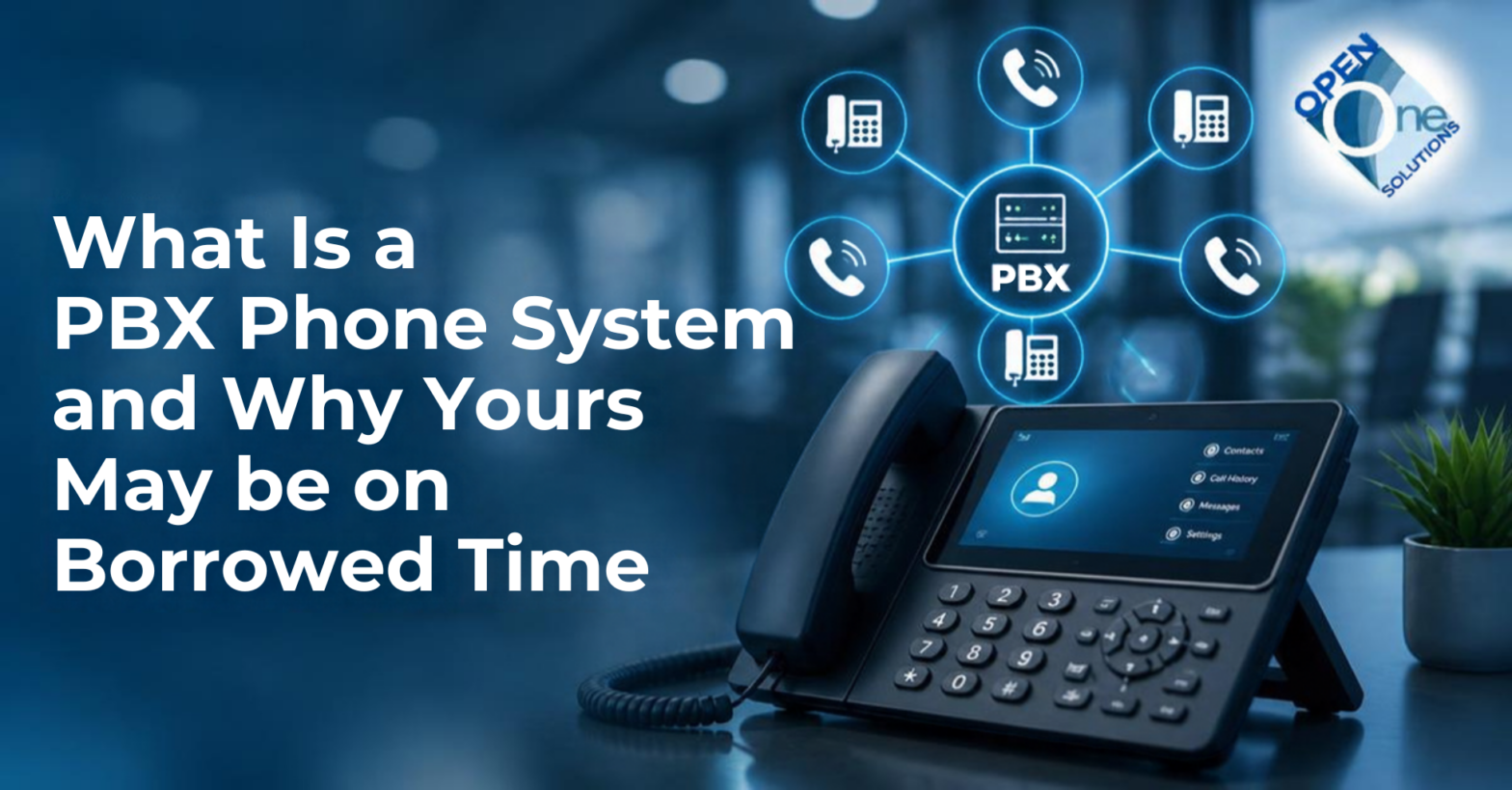
A PBX — private branch exchange — is a private telephone system that lives inside your business. It sits in a closet or a rack, connects your desk phones to each other, and connects your building to the outside phone network. When someone calls your main number and gets routed to the right extension, that is the PBX doing its job.
For about forty years it was the only serious way to run business phones. It is now a system with a deadline, and most owners do not know the deadline exists.
I’m Robert Harney. I’ve been building and running phone systems for Chicago businesses since I started Open One Solutions in 2009, and before that I worked on the carrier side. I have installed these boxes, maintained them, and cut them over. So here is the honest version of what a PBX is, what it actually costs you, and why the ground under it is moving.
Talk to a real engineerFind out what you're running and what it's costing you
What is a PBX phone system?
A PBX is the switchboard for your business, automated and put in a box. PBX stands for private branch exchange — private because it belongs to you rather than the phone company, branch because it serves one location, exchange because it switches calls.
A traditional PBX does three things:
- Connects internal calls. Dial a three- or four-digit extension and you reach a colleague without the call ever leaving the building.
- Connects to the outside world through trunk lines from a carrier — copper POTS lines, a PRI circuit, or more recently SIP trunks.
- Routes and manages calls — auto-attendant, hold, transfer, voicemail, hunt groups, call parking.
There are two generations of them. A legacy or TDM PBX switches calls over dedicated circuits, the way the phone network worked for a century. An IP PBX does the same job over your data network, using SIP. Both still sit in your building, both are yours to own and maintain, and both depend on hardware that somebody has to keep alive.
A cloud PBX — sometimes called hosted PBX or hosted VoIP — moves that same functionality off your premises and into a provider’s data centers. Your phones connect over the internet. There is no box in your closet.
What is the difference between a PBX and VoIP?
This is the question I get most, and the framing is slightly off, which is why it confuses people.
VoIP is not a competitor to a PBX. VoIP is a way of carrying calls. You can run VoIP on a PBX that sits in your building. The real question is not PBX versus VoIP — it is who owns and maintains the system, you or a provider.
| Traditional / on-premise PBX | Cloud PBX (hosted VoIP) | |
|---|---|---|
| Where it lives | A box in your building | Provider’s data centers |
| Who maintains it | You, or a contractor you pay | The provider |
| Upfront cost | High — hardware and licensing | Low or none |
| Ongoing cost | Maintenance contract, licensing, repairs | Per-user monthly |
| Adding a location | A second system, or a costly link | Add users to the same system |
| When hardware fails | Your problem, your downtime | Provider’s problem |
| Security patching | Only if someone does it | Continuous, by the provider |
| If the internet drops | Internal calls may survive | Fails over to mobile at the carrier level; internal calls can survive with an on-site device |
What does a traditional PBX really cost to own?
Here is the part that never makes it onto the original quote, and it is the same point I make about phone bills and about rented handsets. The advertised cost of a PBX is the day you bought it. The real cost is every year after. (See our business phone system cost breakdown for the same pattern on the bill side.)
For a comparable office, an on-premise system runs $10,000 to $20,000 or more in year one once hardware, licensing, and installation are counted. Then the recurring costs start:
- The maintenance contract. Usually a percentage of the system value, every year, forever. Skip it and you have no support when something fails.
- Licensing. Per seat, per feature, and often again at every software upgrade.
- Technician visits. Adding a user, changing a call flow, or moving a phone can mean a billable truck roll.
- Parts. When a line card fails on a discontinued platform, you are buying refurbished gear from the used market at whatever it costs.
- Power and battery. A UPS that needs replacing every few years.
- The upgrade cliff. Every five to seven years the platform needs a major upgrade or a replacement, and the bill arrives all at once.
- The knowledge problem. The technician who configured your system leaves. The next person charges you to learn it.
None of that is a scandal. It is simply what owning industrial equipment costs. But when someone tells me their PBX is “paid for,” what they usually mean is that the purchase price is paid for. The ownership is not.
Is the PBX dead? What is actually happening to the manufacturers
This is the part almost nobody explains properly, and the sloppy version — “the PBX is dead” — is not quite right. Here is the accurate version, vendor by vendor.
NEC has genuinely left
In April 2024, NEC announced it was exiting the on-premises phone system business outside Japan. New system and add-on sales for the UNIVERGE SV9100, SV9500, UNIVERGE 3C, and SL2100 ended December 31, 2024. Final shipments ended March 31, 2025. NEC’s own technical support ended March 31, 2026 — a date that has already passed.
Honesty requires the other half: in February 2025, Forerunner Technologies acquired NEC’s on-premises UC business in the Americas and has committed to software support and licensing through 2030 for customers holding software assurance. NEC systems are not orphaned. But manufacturing is finished, and when a component fails you are buying from remaining reseller stock or the refurbished market.
Mitel restructured, and retired one platform — not all of them
Mitel filed a prepackaged Chapter 11 in March 2025 and emerged from it on June 20, 2025, having eliminated roughly $1.15 billion in debt. The company is operating normally. Anyone telling you Mitel collapsed is working from old information.
The platform picture matters far more, and it is specific:
- MiVoice Connect — formerly ShoreTel — is being retired. New system sales ended July 2024, add-on sales December 2024. The date that should concern you is December 31, 2025: end of design support — no further operating system updates, patches, or security updates. Technical support continues in maintenance-only mode until December 31, 2029.
- MiVoice Office 250 reaches end of technical support June 30, 2026.
- ShoreTel 14.2 has been end-of-life since September 2020.
- MiVoice Business is not affected. Mitel’s own lifecycle bulletin says so explicitly, and it is the platform Mitel recommends Connect customers move to. If you are on MiVoice Business, you are on a supported product.
Read that Connect timeline again, because for a lot of Chicago businesses it is the most important paragraph on this page. If you are running MiVoice Connect or a ShoreTel system, it has received no security patches since the end of last year. The phones still work. That is precisely the problem — nothing tells you.
Avaya has not exited — but your release may have
You will read that Avaya abandoned the PBX. That is not what its own notices say, and you deserve the accurate version.
Avaya still sells and supports on-premises platforms. Aura Release 10 remains an available offer, Aura 10.2 is the current release, and a 10.3 has been signalled. IP Office continues with R12.0. The exposure sits at the release level, not the company level:
- Avaya Aura Platform 10.1 reached end of manufacturer support January 1, 2026. Security updates, bug fixes, and patch support for 10.1.x ended December 31, 2025. Avaya’s notice states there is no matching end of sale, because Release 10 continues to be sold — the support clock and the sales clock run separately.
- Avaya Aura 8.x reached end of manufacturer support in March 2023.
- IP Office R11.1 and earlier went end of sale in August 2024, with software support ending August 12, 2025.
- G430 and G450 gateways in older hardware vintages stopped receiving firmware and security updates in January 2026 on Aura 10.1 and earlier, and June 30, 2026 on Aura 10.2.
This is the trap, and it is worse than a manufacturer simply leaving. When a vendor exits, somebody eventually tells you. When your release goes end-of-support while the product line carries on being sold, nobody calls. Your system runs exactly as it did the day before.
And the ones that already went
Toshiba left the telecom business years ago. ShoreTel was absorbed by Mitel in 2017 and sits on the timeline above. A market that once held several serious premise manufacturers has consolidated hard, and the survivors are putting their investment into cloud.
This is not new, and we have been on the other side of it before. On July 19, 2016, Barracuda announced that the Cudatel phone system was end of life, with support running only to June 30, 2019. The businesses running it did not get a transition plan — they got an announcement. We migrated those customers onto supported Sangoma platforms, reusing their existing phones and cards, and in many cases the new deployment cost less than what they had been paying annually in maintenance on the dead one. The names change. The pattern does not.
What “end of life” actually means for you
It does not mean your phones stop working on a particular Tuesday. It means these things happen in sequence — and the order matters far more than the final date:
- End of sale. You can no longer buy the platform or add licences the easy way. Growing gets awkward and what you own loses its resale value.
- End of design or software support. No more updates and, critically, no more security patches. Any vulnerability discovered after this date stays open on your system permanently.
- End of hardware repair. The manufacturer stops replacing parts. Spares come from the used market at whatever it costs.
- End of technical support. Documentation, firmware, and help disappear.
Most owners watch the last date and relax. Watch the second one. MiVoice Connect is technically supported until 2029 and has been unpatched since the end of 2025 — four years of a system that is nominally supported and quietly indefensible.
There is a simple test. When did your system last receive a firmware or software update? If it has been a year or more and none are available for your release, you are probably already past end of software support. If nobody in the building can answer the question, that is also an answer.
And if you carry HIPAA, PCI, or SOC 2 obligations, running unsupported software is not just a risk — it is something an auditor can flag.
Can a PBX be hacked?
Yes — and it is the most financially direct attack a business can face, because the money is gone before anyone knows there was a breach.
It is called toll fraud, or PBX hacking. Someone gains access to your phone system and routes calls through it to premium-rate international numbers they profit from. Then your bill arrives.
The part that surprises people: you pay
Owners assume the carrier absorbs fraudulent charges the way a credit-card company does. It does not work that way, and there is settled FCC precedent behind that.
In Chartways Technologies v. AT&T, a company hit with a large volume of unauthorized international calls through its PBX was held liable, because it could not show it lacked the ability to control calling through its own system. In Directel v. AT&T in 1996, the FCC upheld tariff provisions placing the cost of fraudulent calls on the customer, rejecting the argument that they were unjust or unreasonable. In GMRI v. AT&T in 2001, the FCC again found the tariff lawful and the customer liable for the unauthorized charges.
Modern service agreements say the same thing in plainer language. Read your own terms and you will almost certainly find a clause making you responsible for every call originating from your system, authorized or not.
Assume the bill is yours, and then act accordingly.
How big the problem is
The Communications Fraud Control Association surveys the global industry every two years. Its 2023 survey put worldwide telecom fraud losses at $38.95 billion — up 12% on 2021, and about 2.5% of industry revenues. PBX fraud ranked among the top five fraud methods in that survey. CFCA’s most recent figures put 2025 losses at $41.82 billion. In the 2021 survey, CFCA attributed $3.24 billion specifically to PBX hacking.
Those are industry numbers, not a forecast of your bill. What they tell you is that this is an organised, automated business rather than a rare accident.
How they get in
The methods are unglamorous, which is exactly why they keep working:
- Default administrator passwords nobody changed at installation.
- Unpatched software — which brings us straight back to end-of-support releases.
- Exposed maintenance ports left reachable from outside the building.
- Legacy dial-through features. A caller dials a direct inward number, receives internal dial tone, and then dials anywhere in the world on your account. This is a documented fraud pattern on traditional systems, and it exploits a feature rather than a bug.
- Voicemail and paging features redirected to international numbers.
There is a quieter exposure too. Calls on an unencrypted legacy system can be intercepted. If a patient’s information or a customer’s card details travel over that line, you have a compliance problem sitting next to the security one.
This is the same thing I say about cheap AI and cheap POTS replacement. The cheap version of the answer is usually the expensive one — you just pay later. Except here the bill can arrive before anyone knows anything happened.
And the copper underneath it is going away too
The equipment is being squeezed from one side. The network is being squeezed from the other.
Most traditional PBX systems reach the outside world over copper — POTS lines or a PRI circuit. Carriers are retiring copper, the FCC removed most of the remaining procedural obstacles in March 2026, and the notice period before your service is discontinued can now be measured in months.
So even a PBX in good health, with a current maintenance contract, may find that the lines feeding it are being retired underneath it. That is the pincer: the manufacturer is leaving, and the carrier is turning off the road.
Related: The Copper Sunset: Why POTS Lines Are Going Away
What happens during an internet or power outage?
This is the right question to ask about cloud phones, and I am going to give you the honest answer instead of the sales answer.
If your internet goes down and nothing was engineered for it, your cloud phones go down. Anyone who tells you otherwise is selling.
What you do about it is the actual discussion:
- Failover to mobile. If the phone system, internet connection, or office goes down, incoming calls can automatically reroute to cell phones or another location. This depends on the SIP/telco provider serving your phone system, because the failover happens at the carrier level, before the call ever reaches the PBX. Confirm it when you choose a provider.
- A second internet path. A cable or fiber circuit plus a backup connection, with automatic failover. This is the part most providers do not want to talk about because it is real engineering.
- Cellular backup for the site.
And here is the honest nuance in the other direction. A traditional PBX has one genuine advantage: if your internet drops, internal calls between desks in the building may keep working, because the switching happens locally. That matters in a warehouse or a manufacturing floor. That said, a hosted system can do the same: with an additional device added to your network, local extensions stay up and can keep calling each other while the internet is down.
But weigh it properly. A PBX still fails when the power goes out beyond your battery, when the carrier circuit is cut, or when the building is inaccessible. Cloud keeps working when your building is closed and your people are elsewhere — which, in the last few years, has been the more common emergency.
For what it is worth, we treat this as settled rather than optional: every on-premise system we deploy includes an SD-WAN appliance with LTE or 5G cellular backup. It is the piece that makes a second path automatic instead of theoretical.
How does cloud handle multiple locations?
This is where the difference stops being philosophical.
With traditional PBX systems, each building generally gets its own box. Two offices means two systems, two maintenance contracts, two sets of upgrades, and a link between them that somebody has to build and pay for. Extension dialling between sites is a project. A single company auto-attendant across all locations is a bigger one.
With one cloud system, every location is on the same platform. Extension dialling works everywhere, transfers between sites cost nothing, one auto-attendant covers the whole company, and a new office is a configuration task rather than a capital project. You pay per user, not per building.
If you are running more than one location, or you expect to, this is usually the argument that settles it.
When does keeping your PBX still make sense?
I sell cloud phone systems. I am still going to tell you when not to buy one.
- Your platform is current and supported, and you just invested in it. If you bought recently and the manufacturer is still shipping updates, run it. Get value from it. Plan the transition rather than rushing it.
- You have a genuine local-switching requirement — a facility where internal calls must work regardless of what happens to the internet, and where neither mobile failover nor a hosted system with an on-site survivability device covers it.
- Your internet is not ready and cannot be made ready. Fix the connectivity first. Putting voice on inadequate bandwidth makes everybody hate the phone system, and they will be right.
- A specialised integration you cannot replicate yet. Some legacy paging, intercom, or industrial systems are genuinely tied to the box. That is an engineering conversation, not a reason to do nothing.
What does not qualify: “it still works.” It works right up to the morning a line card fails on a platform nobody manufactures. Then it does not work, and you make a decision in a hurry, which is the worst time to make it.
Know before you decideGet your system's real lifecycle status
Is on-premise always the wrong choice now?
No — and this is where most of the coverage gets it wrong. Everything above describes a problem with proprietary phone systems, not with on-premise phone systems. That distinction gets lost, and it costs businesses money.
A proprietary PBX puts the manufacturer in control of three things: the per-extension licensing, the upgrade cycle, and the end-of-life date. You did not negotiate any of them and you cannot change any of them. That is why the lifecycle trap exists.
None of that is inherent to having a system in your building.
What we deploy instead
When on-premise is genuinely the right answer, we build on FreePBX, the Asterisk-based platform from Sangoma. Three things change as a result:
No recurring per-extension licence for the core platform. Adding an employee does not mean buying another software licence. Where commercial modules are used, we can often buy long-term licensing rather than pushing you into annual renewals.
Standards-based phones you keep. We deploy Yealink SIP handsets. Hardware can be 70% or more of the total cost of a deployment, and those phones can generally be reprovisioned onto other SIP platforms — including our hosted platform if you move later. Proprietary handsets tie you to one manufacturer. These do not.
No technical lock-in. FreePBX is open-source. If you eventually decide to manage the system yourself, the platform does not inherently require us to run it. We would rather you stay because the support is worth paying for than because leaving was engineered to be difficult.
There is no manufacturer who can announce an end-of-life date for an open platform and strand you on it. That is the entire difference.
The honest caveat
On-premise still means somebody has to secure it, patch it, monitor it, and answer the phone when it breaks. That responsibility does not disappear because the software is open — it just moves. In our deployments it moves to us. That is why we deploy the whole environment rather than selling a box: the system, an SD-WAN appliance for secure remote management and cellular failover, our SIP trunking, and a maintenance agreement. We are specific about those requirements up front rather than at contract stage, and if you would rather buy equipment and manage it yourself, we will tell you early that we are not the right vendor for that.
And most businesses should still choose hosted. It is simpler, cheaper to start, and easier to scale. On-premise earns its place in specific circumstances — the ones listed above — not as a default.
How do you migrate from a legacy PBX to the cloud without downtime?
This is the part people fear, and it is the part that is most solvable — and the process is largely the same whether you are moving to our hosted platform or to a new on-premise system. Done properly, your phones do not go down and your customers never know.
- Audit what you actually have. The platform, the software release, every trunk and line, every phone, every analog device, and every call flow. This is also where we find the lines nobody uses.
- Map your call flows before touching anything. Who answers what, what happens after hours, where calls go when nobody picks up. Most businesses have never written this down.
- Build and test the new system in parallel. The cloud platform is configured and tested while your PBX keeps running. Nothing is cut over until the replacement is proven.
- Port your numbers on a scheduled cutover. Number porting moves your existing numbers with a scheduled window. Plan it for a low-volume period, and the old system stays available until the port completes.
- Handle the analog devices deliberately. Fax, alarm panels, elevator phones, and paging need their own plan — and life-safety circuits need certified equipment, not a generic adapter.
- Install on site and train your people in person, on the system they are actually going to use.
- Stay through day two. The week after go-live is when the real questions arrive. That is when you find out whether you bought a phone system or a project.
Timelines vary with the size of the estate, but what sets the schedule is almost always the number port and the analog devices rather than the phones themselves. Both can be started early, which is the single best way to shorten a migration.
What to do next
Start with two questions you can answer this week. What platform and software release are you running, and when did it last get a firmware update? If nobody in the building knows, that is the answer.
From there, send us your phone bill and let us look at the system. We will tell you what you are running, where it sits in its lifecycle, what your carrier lines are costing you, and what a migration would actually involve. If the answer is that you should keep what you have for another two years, we will tell you that too.
Frequently asked questions
The basics
What does PBX stand for?
What does a PBX actually do?
Is VoIP a replacement for a PBX?
What is a cloud PBX?
Lifecycle, cost, and risk
Is the PBX dead?
How do I know if my PBX is at end of life?
What does it cost to maintain a traditional PBX?
How do business phone systems get hacked?
Who pays for fraudulent calls made through my phone system?
Reliability and multiple locations
What happens to my cloud phones if the internet goes down?
Is a traditional PBX more reliable than cloud?
How does cloud phone work across multiple offices?
Switching or staying
How do I migrate from a legacy PBX to the cloud without downtime?
Can I keep my phone numbers and my desk phones?
Is an open-source PBX a serious alternative to a proprietary system?
Should I replace my PBX or move to the cloud?
What is FreePBX, and why does Open One use it?
Find out where your phone system really stands.
Talk to a real engineer in Chicago